

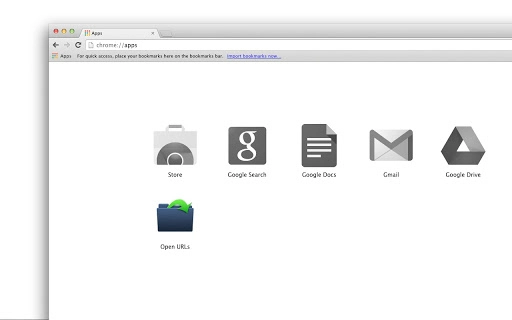
Description
Bulk URL Opener: Open Multiple Links Fast
Bulk URL Opener is a lightweight desktop utility designed for users who need to open multiple web links simultaneously. It simplifies the process of launching several URLs in separate browser tabs or windows, making it ideal for researchers, content curators, and digital marketers. The software allows users to paste a list of URLs—each on a new line—and open them all with a single click. A notable feature is its intelligent handling of incomplete URLs: if a URL lacks a protocol (like "http://" or "https://"), the app automatically defaults to HTTP, enabling users to input only the domain name. This eliminates the need to manually add "http://" to every link, streamlining workflow efficiency. The app supports both Windows and Mac, making it accessible across platforms. It is particularly useful when managing large lists of resources, such as reference links, social media profiles, or web-based tools. Its minimal design ensures quick setup and immediate usability, with no complex configuration required. The developer did not provide additional system requirements.
Key Features & Capabilities
- Bulk URL Processing – Users can input multiple URLs, each on a separate line, and open them all at once. This is ideal for quickly launching a set of research sources, marketing assets, or web tools.
- Automatic Protocol Detection – If a URL is entered without a scheme (e.g., "example.com"), the app automatically appends "http://" to convert it into a valid link. This reduces manual input and minimizes errors.
- Flexible Output Options – Users can choose whether to open links in new tabs or new windows, depending on their preferred browsing behavior.
- Simple Paste-and-Go Workflow – The interface allows direct pasting of a list from clipboard, enabling rapid execution without copy-paste editing.
- Lightweight and Fast – With a file size of 1.4 MB, the app loads quickly and operates with minimal system impact.
The app is especially useful in scenarios where users must access dozens of web pages at once—such as reviewing competitor websites, organizing reference materials, or testing link validity. By reducing repetitive manual entry, it enhances productivity for professionals managing large volumes of online content.
User Interface, Workflow & Performance
The user interface is minimal and functional, focusing on a single input field and a prominent "Open All" button. Navigation is intuitive, requiring no learning curve. Users simply enter URLs, adjust the output setting (tabs or windows), and click the button. The workflow is streamlined for speed, with no unnecessary steps or configuration options. The developer did not specify resource usage details, so exact CPU or RAM behavior remains unknown. Performance observations are based on general software behavior patterns. The app launches instantly and responds quickly after the "Open All" command. Stability is expected to be high given the lightweight nature and single-purpose design. No known crashes or bugs were reported in the release notes.
Compatibility & System Requirements
Bulk URL Opener is compatible with both Windows and Mac operating systems. The software version is 1.0.0, with a file size of 1.4 MB. The developer did not specify exact system requirements, including minimum CPU, RAM, or disk space. Compatibility information was partially provided. Users should ensure their system meets standard desktop application requirements for running a basic utility. No additional dependencies or runtime environments were mentioned.
Pros and Cons
Pros
- Efficiently opens multiple URLs in one action
- Automatically adds "http://" to incomplete URLs
- Simple, distraction-free interface
- Supports both tabs and windows for opening links
- Lightweight at only 1.4 MB
Cons
- No option to exclude invalid or broken URLs
- Does not support HTTPS by default (only HTTP for incomplete URLs)
- Limited customization beyond output type
- No built-in link validation or error reporting
- File size and version are minimal; no update history available
FAQ Section
Is Bulk URL Opener free to use?
Yes, the software is available at no cost. No subscription or in-app purchases are required.
Does it work on both Windows and Mac?
Yes, the app is designed to run on both Windows and Mac operating systems.
Can I open URLs in new tabs or new windows?
Yes, users can choose whether to open links in new tabs or new windows through the app’s settings.
What happens if I enter a URL without a protocol?
If a URL lacks a scheme like "http://" or "https://", the app automatically defaults to HTTP and opens the link accordingly.
Is the software secure to download and use?
As a lightweight desktop utility with no external dependencies, the app poses minimal security risk. However, users should only open URLs from trusted sources.
Final Thoughts + CTA
Bulk URL Opener delivers a focused, efficient solution for users who frequently need to launch multiple web links at once. Its core strength lies in its simplicity and intelligent handling of incomplete URLs, a feature that sets it apart from similar tools. While it lacks advanced options like link validation or HTTPS support, its minimal design ensures fast, reliable performance. It is best suited for professionals and power users who value speed and ease in managing web resources. For those seeking a no-frills way to open dozens of URLs in bulk, this tool offers a practical and effective solution. Download Bulk URL Opener now.
Guides & Tutorials for Bulk URL Opener App for Chrome
How to install Bulk URL Opener App for Chrome
- Click the Preview / Download button above.
- Once redirected, accept the terms and click Install.
- Wait for the Bulk URL Opener App for Chrome download to finish on your device.
How to use Bulk URL Opener App for Chrome
This software is primarily used for its core features described above. Open the app after installation to explore its capabilities.
User Reviews for Bulk URL Opener App for Chrome 0
No reviews found





